
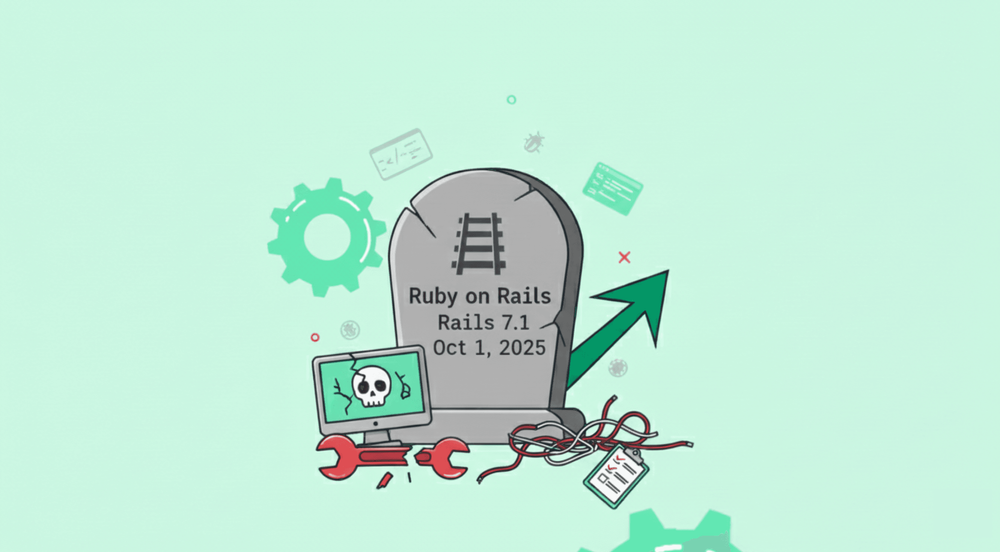
If you're still running Rails 6.1 or earlier in production, here's a news you probably don't want to hear: your application is operating on unsupported software.
Rails has always been known for moving at a steady pace. Each new version brings improvements in performance, security hardening, and developer-friendly features.
However, with every release cycle, older versions eventually reach their end-of-life status. When a version hits EOL, the Rails core team stops releasing patches for it, including critical security fixes. That's when things start getting risky.
Before you panic, let's talk about which Rails versions are “dangerous to keep,” why that is, and how using a rails compatibility checker or following a rails upgrade guide can save you headaches.
How Rails Version Support Actually Works
The Rails project follows a clear maintenance lifecycle. For each minor release (like 7.1, 7.2, etc.):
- You get bug fixes for one year after the release.
- You get security fixes for two years after the release.
- After that two-year window expires, the release is marked end-of-life (EOL). No more official patches, bug fixes, or security updates.
That means that once a version hits EOL (End of Life), even if your app “still works”, you’re on your own. Future bugs or security problems won’t be fixed unless you manually backport patches (a risky and error-prone path) or migrate to a supported version.
Because of this policy, every Rails app eventually needs upgrading.
Which Rails Versions You Should No Longer Be Using
Here’s a breakdown of Rails versions you should seriously consider upgrading immediately, if you’re still on them.
| Rails Version | Status & What It Means | Risk Level |
|---|---|---|
| Rails 5.2 or Older | Official support ended 2022. No more bug or security patches | Very high - many unpatched vulnerabilities, incompatible gems |
| Rails 6.0 | EOL as of June 2023 | High - no patches; new libraries may drop Rails 6 support |
| Rails 6.1 | Full maintenance ended October 1, 2024, with only one extra security release after that | High - fewer security guarantees; risk growing over time |
| Rails 7.0 | Bug-fix support ended already; security support ended April 1, 2025 | High - no more official updates, despite being “relatively modern” |
| Rails 7.1 | Security support ended October 1, 2025 | High - now officially EOL |
In short: if your app runs on Rails 6.x, 7.0, or 7.1, you’re already on unsupported ground. If you go to earlier versions, like 5.2, the risk is even greater.
Even versions that are still technically “supported,” like Rails 7.2 or 8.0, aren’t forever. They’ll eventually age out, too.
So What Actually Happens After EOL?
It’s not just about missing out on shiny new features (though Rails 7.2’s async queuing and 8.0’s component-based rendering are nice). The real stakes are security, compliance, and maintainability.
1. Unpatched Security Holes Accumulate
Past Rails CVEs, like CVE-2023-26136 (a deserialization flaw in GlobalID) or CVE-2022-32224 (a file upload bypass in Active Storage), only got backported to supported versions. If you’re on Rails 6.1 or earlier, those fixes never reached you.
Attackers know this. Automated scanners target known EOL vulnerabilities first, because they’re low-effort wins.
2. Compliance Audits Will Flag You
If you handle payments, health data, or EU citizen info, you’re likely bound by standards like:
- PCI DSS (requires “vendor-supported software”)
- HIPAA (mandates risk analysis and timely patching)
- SOC 2 (demands documented patch management)
- GDPR/ISO 27001 (expect evidence of secure development practices)
Running EOL Rails isn’t just a dev-team footnote, it’s a finding. One that can delay certifications, trigger costly remediation plans, or even void contracts.
3. Your Gem Ecosystem Starts Crumbling
Modern gems like sidekiq-pro, pundit, or turbo-rails drop support for old Rails versions all the time. You’ll start seeing errors like:
Bundler could not find compatible versions for gem "rails":
In Gemfile:
In Gemfile:
some_new_gem (~> 3.0) was resolved to 3.1.0, which depends on
rails (>= 7.1)
Suddenly, you can’t upgrade anything. Not for security, not for performance, and not even to fix a bug in a dependency. You’re locked in.
4. Community & Maintenance Momentum Disappears
Most tutorials, blog posts, bug reports, and community help will focus on actively maintained Rails versions. Running an old version means you’ll increasingly find no help online if you hit a problem.
Over time, maintaining and debugging your app becomes harder and more expensive.
5. Your Team Struggles to Find and Keep Talent
Talented developers want to work with modern technology. When your application runs on Rails 6.1 or older, recruiting becomes harder. Developers looking to grow their skills will pass on opportunities where they'll be maintaining legacy systems instead of learning current best practices.
Your existing team members may also become frustrated, knowing their skills are becoming outdated. This can lead to higher turnover and difficulty retaining institutional knowledge about your application.
The Hidden Cost of Waiting Too Long
Every month you delay an upgrade, the technical debt grows. New features in your application get built on an outdated foundation. When you finally do upgrade, you'll need to refactor not just the old code but also everything you added while running the EOL version.
Teams often underestimate this compound effect. What could have been a manageable two-week upgrade project turns into a three-month ordeal because of all the accumulated technical debt.
How to Know If Your Application is at Risk
Before jumping into solutions, confirm where you stand.
Run this in your app’s root:
bundle exec rails -v
Then check your Gemfile.lock for the exact patch version (7.0.8, 6.1.7.6, etc.). Even minor versions matter. Some security fixes only land in the latest patch.
Next, cross-reference it against the official Rails maintenance policy. If your version is in the “No Support” column, you’re in the red zone.
You can also use third-party tools like RailsUp to scan for outdated dependencies but remember: EOL status is binary. Either your Rails version gets security patches officially, or it doesn’t. There’s no gray area.
Planning Your Rails Upgrade
So you are on Rails 6.1. Or 7.0. What now?
The good news: upgrading Rails doesn’t have to be a rewrite. With the right approach, most apps can upgrade from 6.x to 7.x in weeks, not months.
Here’s a realistic rails upgrade path that’s not theoretical, but battle tested.
Step 1: Audit Your Dependencies
Use a rails compatibility checker (like bundle audit, ruby-rails-compatibility, or commercial tools such as RailsUp) to scan for:
Gems that don’t support your target Rails version
Deprecated methods used in your codebase (e.g., before_action → still valid, but redirect_to :back → banned in 5.1+)
Ruby version mismatches (Rails 7.1+ needs Ruby 3.0+; Rails 8.0 needs 3.2+)
Pay special attention to authentication (Devise), background jobs (Sidekiq), and frontend integrations (Stimulus, Turbo). These often need version bumps before Rails itself.
Step 2: Upgrade Ruby First (If Needed)
Rails 7.2+ works best on Ruby 3.1–3.3. If you’re still on Ruby 2.7 (common with Rails 6.1 apps), upgrade Ruby independently first.
Do it in stages:
2.7 → 3.0 → 3.1 → 3.2
Each time, run your full test suite. Fix deprecation warnings, they’re your roadmap.
Step 3: Move in Small, Verified Steps
Jumping straight from Rails 6.1 to 8.0 is risky. The smarter path:
- 6.1 → 7.0 (focus on deprecations: config.load_defaults 7.0)
- 7.0 → 7.1 (new Zeitwerk autoloader defaults, stricter params)
- 7.1 → 7.2 (async variants, improved prop validation)
- 7.2 → 8.0 (optional—but recommended for greenfield)
After each step:
- Run rails app:update and carefully review diffs
- Run full test suite
- Check staging logs for deprecation warnings (turn them into errors temporarily)
- Smoke-test key user flows manually
This is where checking gems compatibility becomes daily work. Example: kaminari 1.2+ is needed for Rails 7.1+. pg gem must be ≥ 1.4 for Rails 7.2+.
Step 4: Shore Up Your Test Coverage
If your test suite is <80% coverage (especially around models and controllers), do not skip this. Upgrades expose hidden assumptions like timezones, nil handling, or callback order.
Add system tests for critical paths (login, checkout, submit). They catch regressions, no unit test will.
Why Having a Rails Upgrade Guide Helps
Upgrading Rails is rarely a “plug-and-play” operation, especially for applications that have been around for years. That’s why a good Rails upgrade guide is invaluable.
- It helps you understand which parts of your codebase may break (deprecated APIs, changed defaults, removed middleware, etc.).
- It gives a structured upgrade path, which versions to jump, in what order, how to transition Ruby versions, and what to test.
- It helps you minimize downtime and reduce risks by staging the upgrade carefully.
When to Consider Rails Upgrade Services
Not every team has bandwidth for a 3-month upgrade project.
If you’re in one of these situations, professional rails upgrade services can be a force multiplier:
- You’re on Rails 5.x or earlier (larger delta)
- You lack strong test coverage
- Your app uses complex engines or custom middleware
- You need the upgrade done without feature work pausing
- Compliance deadlines are looming (e.g., annual PCI audit in Q1)
This is where hiring Ruby on Rails experts can help plan and execute the upgrade with minimal downtime.
Yes, it’s an investment. But compare it to the cost of a breach, a failed audit, or months of firefighting production bugs.
When Might You Decide Not to Upgrade and What to Do Instead
There are cases where teams hold off upgrading for some time. Maybe you have a stable product, heavy customizations, limited resources, or fear of breaking things. If that describes you, here are a few strategies, but each comes with caveats.
Use commercial long-term support (LTS) options. For example, third-party companies offering Rails upgrade services can offer security patches for older Rails versions, sometimes indefinitely. That can buy you time.
Audit and harden security by yourself. If you maintain your own fork, apply critical patches manually, thoroughly audit dependencies, and follow secure coding practices. But this is risky and labor intensive.
Restrict exposure. If your app isn’t internet-facing, or only accessible internally, some risks are lower. Still, unpatched vulnerabilities might expose you if the environment changes (e.g. new user, new library, change in network).
That said, these are mostly stop-gap measures. The safest, most future-proof path remains upgrading.
A Final Thought: EOL Isn’t the End, It’s a Deadline
Rails hasn’t abandoned you. The framework is healthier than ever. But like any living system, it evolves, and parts get retired so the whole can move forward.
Running EOL Rails isn’t laziness. It’s often the result of good intentions stretched thin. But the cost of delay compounds: every day on an unsupported version adds risk.
So take 30 minutes this week:
✔ Run rails -v
✔ Check your Gemfile.lock
✔ Search for “rails compatibility checker”, find RailsUp tool, and run a quick scan
✔ Sketch a rough upgrade plan, even if it’s just phases and dates
You can also try using this Rails pre-upgrade checklist to start with your upgrade process.